

MODULES

Modal windows

Open forms and other content above the current page.

Back to modules
Included with the systemNo separate catalog listing at present
FoxCoreCMS
01 / FOXCORECMS

Overview

What it does

A modal is assembled from configurable content regions and launched from a button in the site design.

Where it helps

Use it for enquiries, estimates, or short information without sending visitors to another page.

Example from the demo template

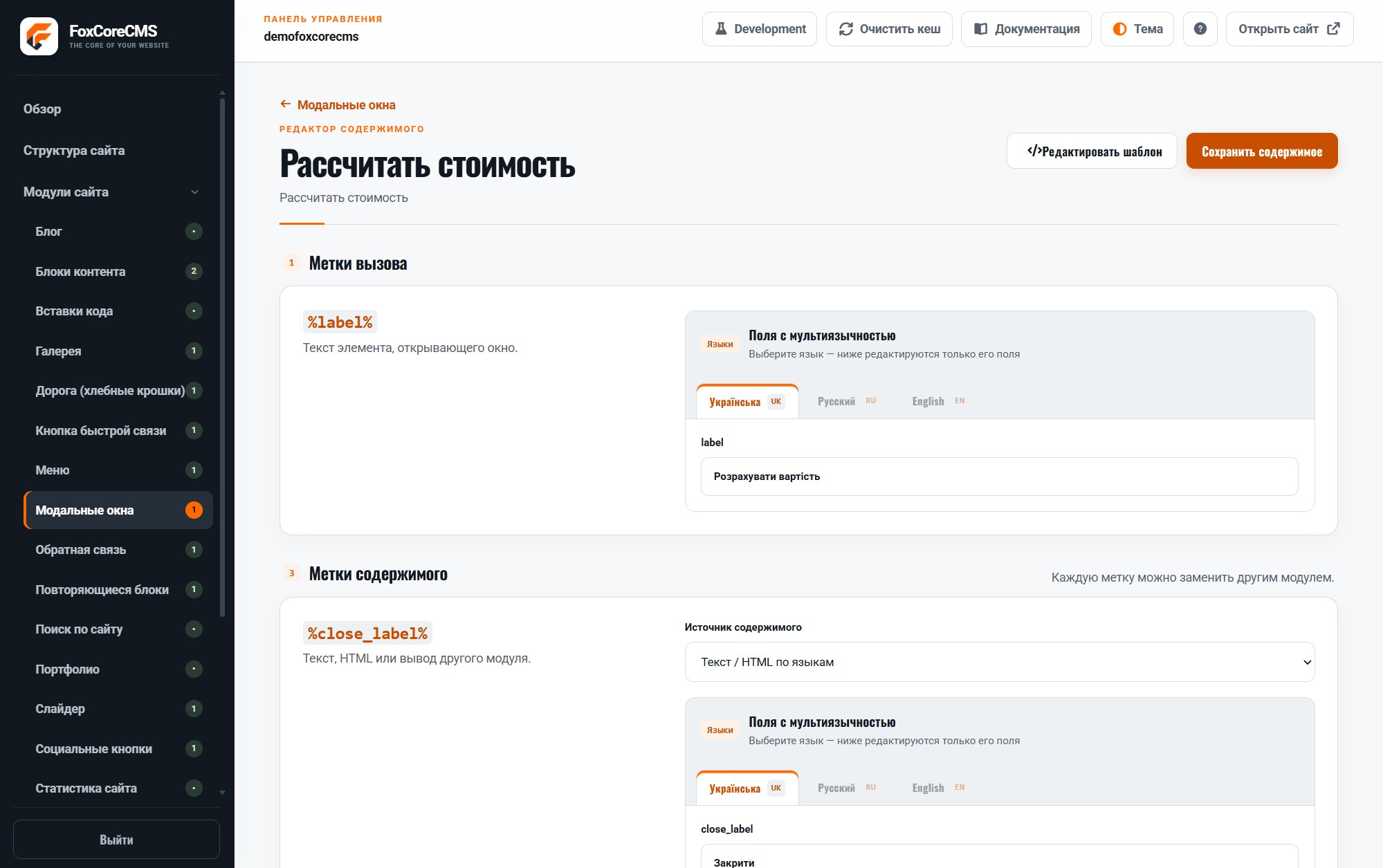
This is a real placeholder from the FoXBuilder design. The system fills it with module output or current-page data; configurable instance labels are set in the admin panel.

<div class="estimate-action">[#estimate_modal#]</div>
02 / FOXCORECMS

Where it helps

Inquiry forms, tips, and extra details without leaving the page.

03 / FOXBUILDER

FoXBuilder demo example

The estimate button on the FoXBuilder home page opens a form in a modal.

How to build it

  1. Create a module instance and choose its HTML template.
  2. Place [#estimate_modal#] in the page template and bind the instance.
  3. Fill in content in the required languages.
  4. Open the demo page and check the result.

Template code

modules/modal_windows/templates/trigger/link.html

<a class="primo-modal-trigger" href="#%modal_id%" data-primo-modal-open="%modal_id%">%label%</a>

Page-template label

[#estimate_modal#]